The design decision
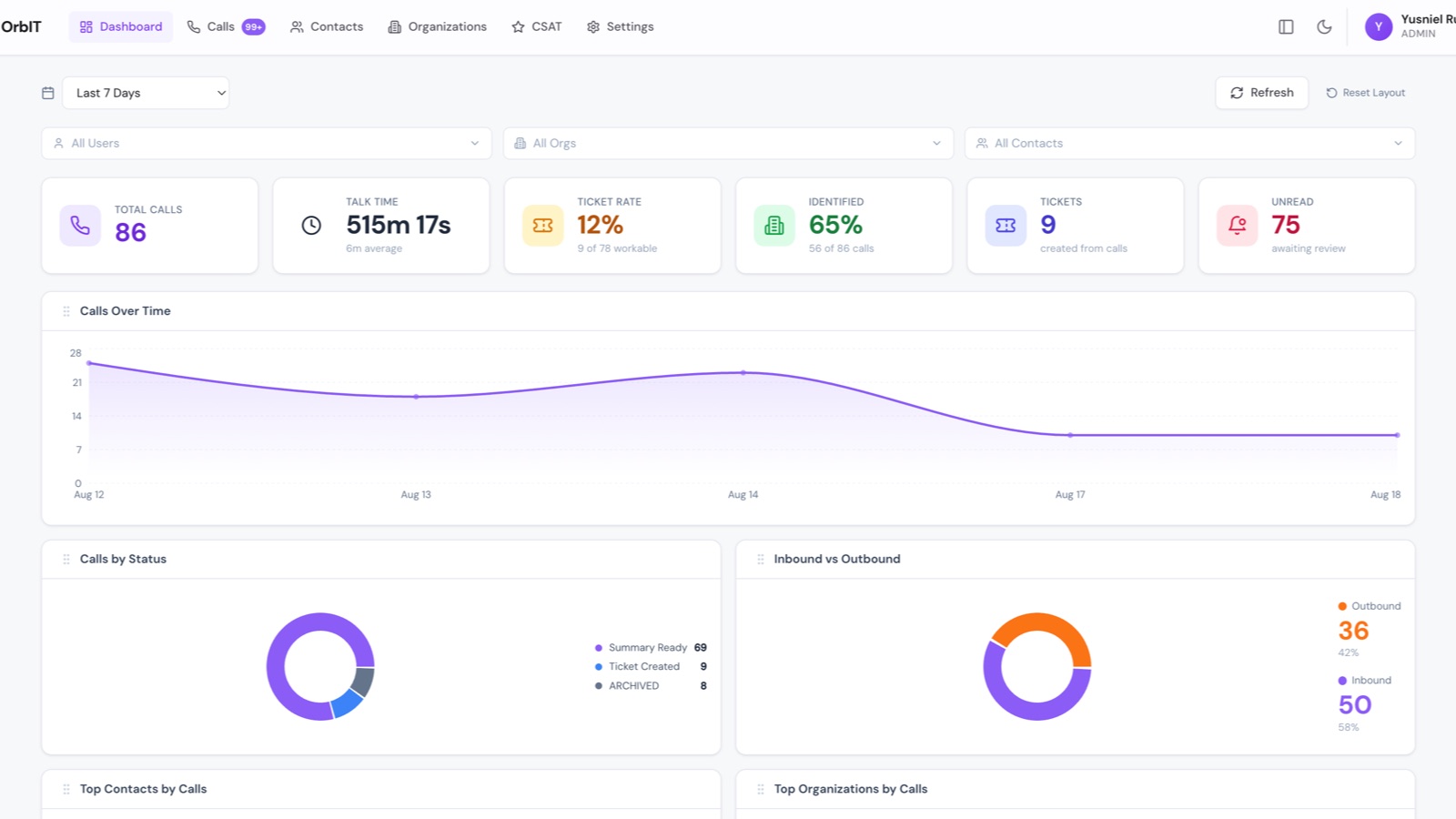
OrbIT exists because full automation was the wrong answer here. The system does everything up to the judgment call and then stops. A call arrives, the summary is fetched and presented, an engineer decides, and only then does the downstream automation run.
That single review step is what makes the rest of the automation safe to trust.
Ingest
- Zoom webhook receiver with signature validation on every event.
- Full call detail and the AI summary pulled back through the Zoom API and persisted to PostgreSQL through Prisma.
- A scheduled sweeper recovers calls that Zoom delivers late or without a call ID, which turned out to be common enough to need its own path.
Review
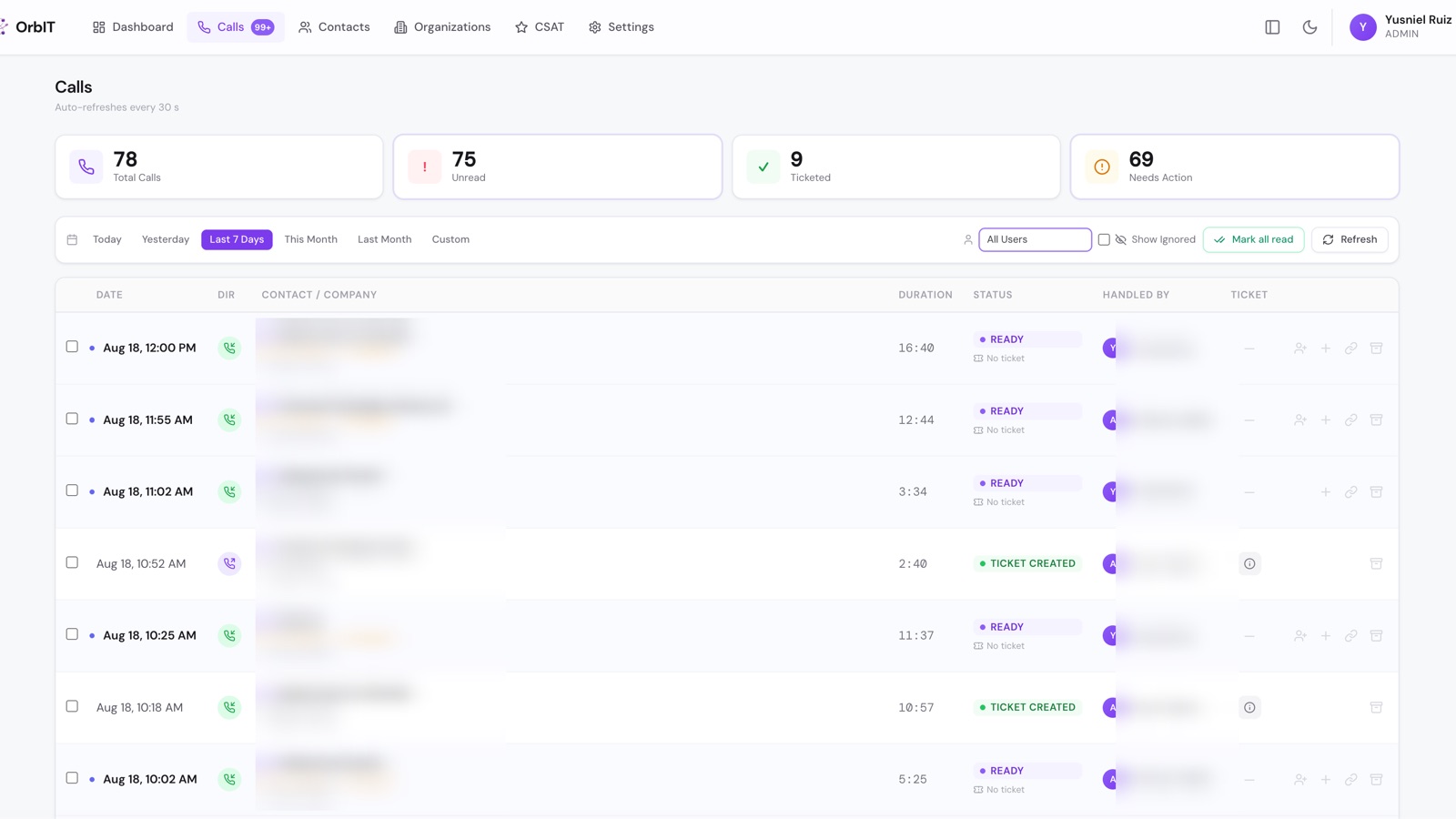
The console shows caller, direction, duration, and the AI summary with its suggested next steps. Approve and the ticket is created. Dismiss and nothing happens.
Multi-user mapping matters more than it sounds: without it every engineer sees every call in the account, which makes the queue useless. Each user is linked to their own Zoom identities, with role-based access for admins, managers, technicians, and viewers.
Downstream
The workflow engine handles the parts that are pure integration. Company resolved from the phone number, contact found or created, ticket opened, time entry logged, ticket ID returned to the console.
Closing the loop
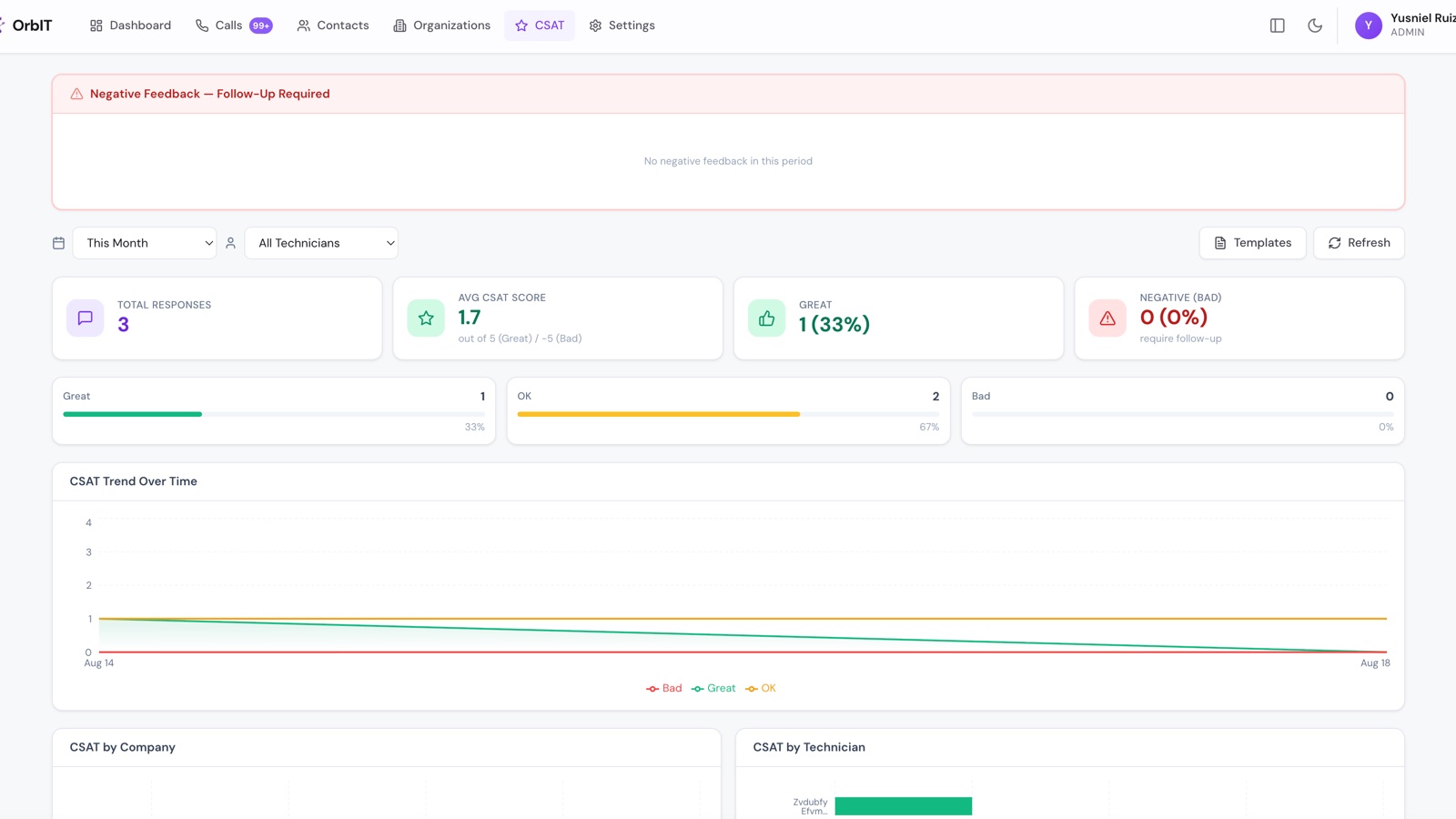
When a ticket completes, OrbIT emails a satisfaction survey to the contact and records the response. A positive score prompts an invitation to leave a public review. That last step started as an afterthought and turned out to be the feature the business cared about most.
Reliability and security
- JWT authentication, bcrypt password hashing, security headers, and request rate limiting.
- A logic-check suite runs against the phone, AI, matching, and sweeper paths before each deploy, separately from unit tests.
- Webhook signature validation rejects anything that did not come from Zoom.
Result
The manual workflow it replaced was: read your notes, open Autotask, find the company, find the contact, create the ticket, write the summary, log the time. Estimated at five or more minutes per ticket, which is an estimate based on the replaced process rather than a measured figure.